Syntax Highlighting for blogspot blog

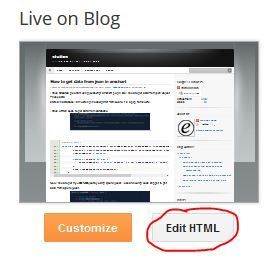
Before All, Take a backup of your blogspot template. Now Goto Dashboard > Template > Edit HTML.

Search for </b:skin> tag of your blogspot template. Paste below css code before the  </b:skin> Tag.

How to get data from json in amchart

I have Created pie chart using javascript amchart plugin. So I need to get data from json object. These data
stored in database.I am working in codeignitor framework. It is a php framework.

I have written code to get data from database.

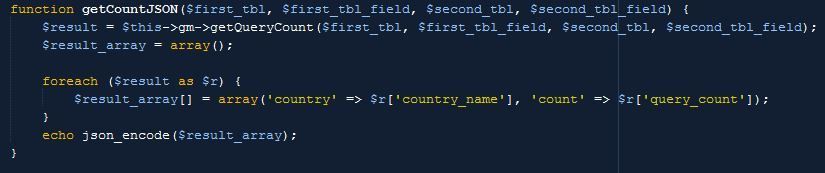
function getCountJSON($first_tbl, $first_tbl_field, $second_tbl, $second_tbl_field) {
        $result = $this->gm->getQueryCount($first_tbl, $first_tbl_field, $second_tbl, $second_tbl_field);
        $result_array = array();

        foreach ($result as $r) {
            $result_array[] = array('country' => $r['country_name'], 'count' => $r['query_count']);
        }
        echo json_encode($result_array);
    }
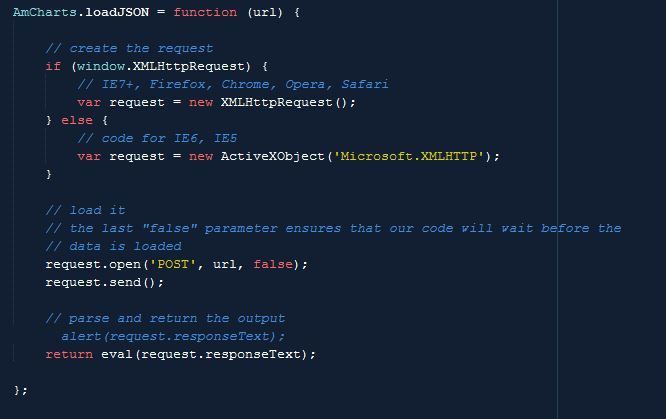
Now I need to get my JSON Object by using ajax request. I used following code snippet to get data from ajax request.
AmCharts.loadJSON = function (url) {

                // create the request
                if (window.XMLHttpRequest) {
                    // IE7+, Firefox, Chrome, Opera, Safari
                    var request = new XMLHttpRequest();
                } else {
                    // code for IE6, IE5
                    var request = new ActiveXObject('Microsoft.XMLHTTP');
                }

                // load it
                // the last "false" parameter ensures that our code will wait before the
                // data is loaded
                request.open('POST', url, false);
                request.send();

                // parse and return the output
                return eval(request.responseText);
 />            };
I have taken the JSON object to javascript variable.

var chartData1 = AmCharts.loadJSON("ajax/getCountJSON/countries/country_name/customers/country_id");
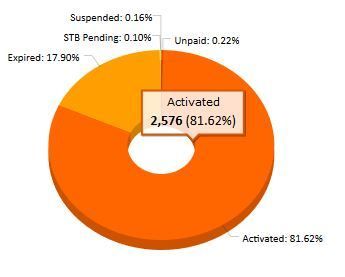
I Got following Result in amchart.
Thank you !

How to import mysql database using commandline

Sometimes you have to import large databases to mysql. So you are normally using phpmyadmin to import these databases. but issue is that it takes much time to be imported to mysql. On behalf of this time taken, you have to face phpmyadmin timeout error.

So you can not import large databases using phpmyadmin. In this tutorial, I am going to show you how to use windows/Linux Commandline to import large databases to mysql.

Another app is currently holding the yum lock

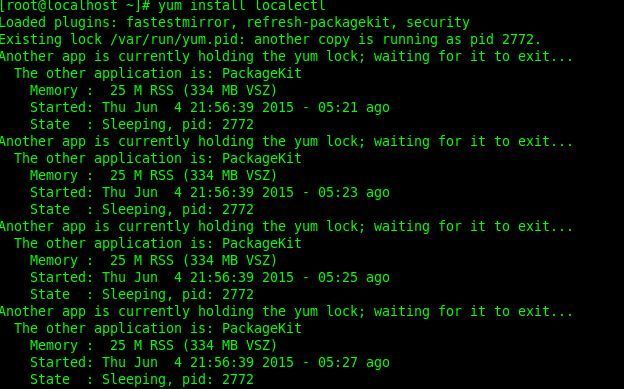
I tried to install some packages on Centos by issuing yum commands. When I am trying yum command, I got an error message. Another app is currently holding the yum lock See the below Image.
I could not run the yum commands due to yum lock error. So I went to the /var/run directory and there was a file called yum.pid.  I opened it and remove the Number of pids inside the file.Saved it and issued youm commands !

It Works !

Second one is you can grep process that hold the yum lock. Issues following command.

ps aux | grep yum

Get the process id and kill them by using following command.

kill -9 process_id

It really Works to kill yum lock !

Count of duplicate values in mysql table

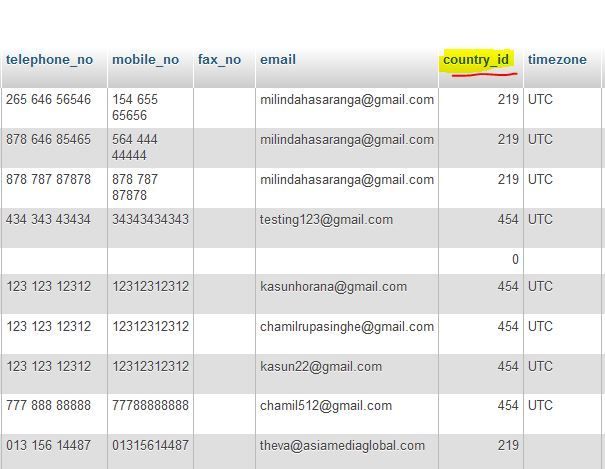
I had to join two different mysql tables to get data. My first table is customers table. It has a field called "country_id". See the Below Image

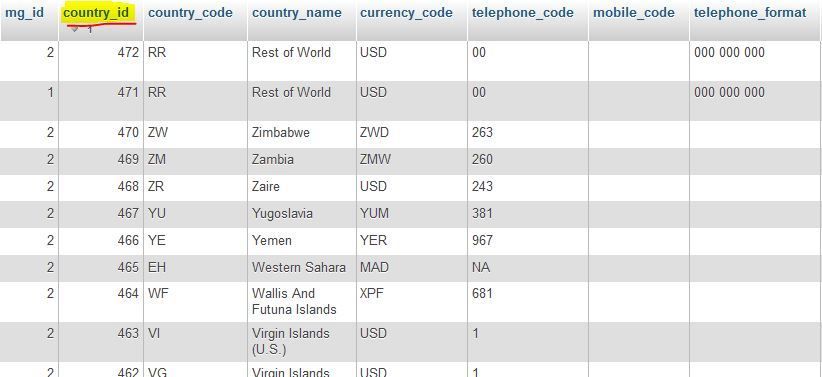
My Second Table is countries table. It also has a fields called "country_id" and "Country_name". See the Below Image.

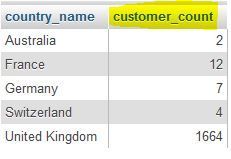
My Task was that join two tables according to their country_id s and display distinct country_names and their count. See the Following Output.
So I have to Add Following mysql query to my code.

SELECT DISTINCT( `countries`.`country_name` )  AS country_name,                
Count(`customers`.`country_id`) AS country_count FROM   `customers`        
INNER JOIN `countries`                
ON `customers`.`country_id` = `countries`.`country_id` 
GROUP  BY `countries`.`country_name` 
HAVING `country_count` > 1 
ORDER  BY country_count DESC  

Above sql query works for me to get above output.